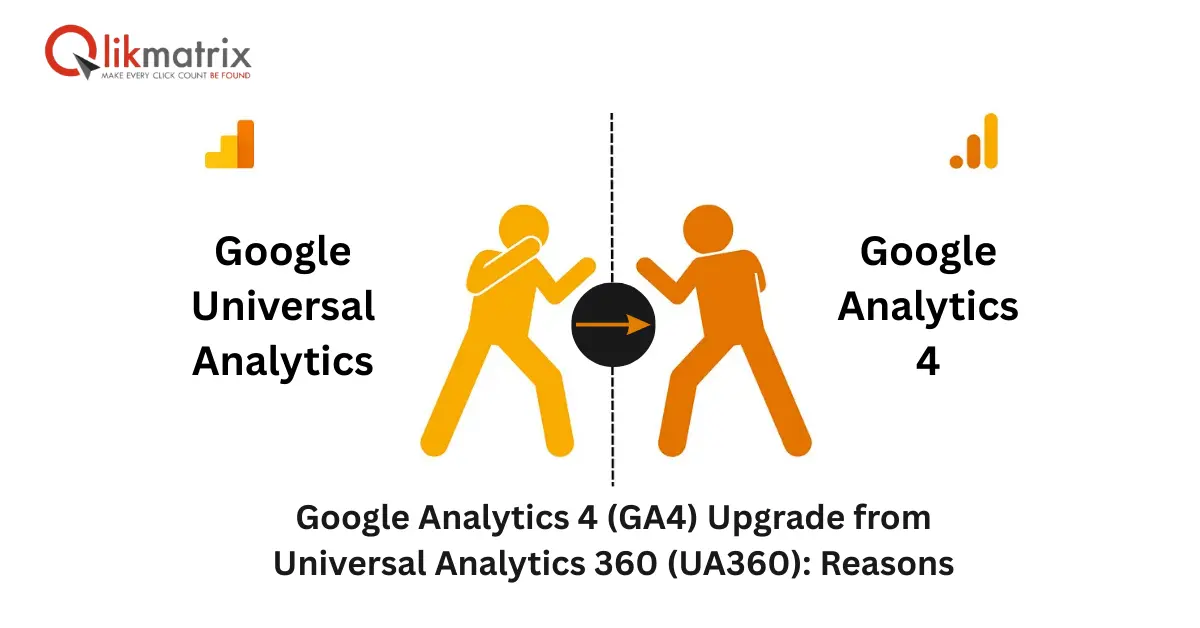
Google Analytics 4 (GA4) Upgrade from Universal Analytics 360 (UA360): Reasons

Google Analytics 4 Upgrade From UA360

Google Analytics 4 (GA4) has officially replaced Universal Analytics 360 (UA360). While UA360 audiences stopped updating in July 2023, Google Analytics 4 introduces smarter audience targeting, deeper insights, and real-time optimization for marketers. This transition ensures businesses are equipped with future-ready data strategies, helping them improve ads, understand customer behavior, and enhance ROI. Discover how Google Analytics 4 can transform your digital marketing efforts.

Google Analytics 4 (GA4) vs Universal Analytics 360 (UA360):

A Complete Guide for Marketers

Hey, digital marketers! If you’ve been following Google’s updates, you already know a major shift happened on July 1, 2023. Universal Analytics 360 (UA360) stopped processing new user data, leaving audiences shrinking and eventually becoming unusable. But there’s no need to worry—Google has launched an advanced solution: Google Analytics 4 (GA4).

This change is not just a system update; it’s a marketing evolution. With GA4, businesses can gain deeper insights, predict customer behavior, and make better real-time decisions. Let’s explore why this upgrade matters and how you can use it to maximize your digital growth.

Why the Shift Google Analytics 4 from UA360?

  1. Smooth Transition: From July 2023, UA360 no longer updates user data. Thankfully, Google ensured a seamless transition of your UA360 audiences into Google Analytics 4 (GA4), so you don’t lose critical insights.
  2. Future-Proofing: GA4 is built to adapt to the evolving digital landscape. By migrating, businesses stay ahead of compliance, privacy regulations, and industry changes.

Key Advantages of Google Analytics 4 (GA4)

Better Audience Targeting

Unlike Universal Analytics 360 (UA360), GA4 allows marketers to build more accurate audience groups. This means your ads can reach the right people at the right time, significantly improving conversions.

Smarter Technology

GA4 uses machine learning to predict user actions. From estimating the likelihood of a purchase to forecasting churn, it equips you with actionable insights that UA360 couldn’t provide.

Deeper Insights

With GA4, you’re not just tracking clicks—you’re understanding customer journeys. Businesses gain a holistic view across platforms (web and app), making customer engagement strategies sharper and more effective.

Real-Time Optimization

UA360 often required waiting for reports. In contrast, GA4 delivers live data, letting you optimize campaigns instantly. If something isn’t working, you can fix it on the spot.

Enhanced Privacy and Compliance

GA4 is designed with modern privacy in mind, offering advanced data settings to comply with GDPR and CCPA. Businesses can collect insights without compromising user trust.

Setting Up GA4: A Quick Guide

  1. Create a GA4 Property: Log into Google Analytics 4, go to Admin, and create a GA4 property.
  2. Add Tracking Code: Copy and install the GA4 snippet on all your website/app pages.
  3. Configure Data Streams: Add your website or app as a data stream to begin collecting information.
  4. Set Up Events: Track important actions like button clicks, downloads, or purchases.
  5. Enable Enhanced Measurement: Let GA4 auto-track site scrolls, outbound clicks, and searches.
  6. Adjust Data Settings: Manage retention, sharing, and privacy compliance.
  7. Verify Data Collection: Check real-time reports to ensure everything is working correctly.

Business Impact of GA4

The move from Universal Analytics 360 (UA360) to Google Analytics 4 (GA4) is more than a tool upgrade—it’s a shift toward smarter business growth. Companies using GA4 can:

  1. Understand customer journeys across multiple platforms.
  2. Deliver more personalized and effective ads.
  3. Improve ROI by optimizing campaigns in real time.
  4. Stay ahead with privacy-compliant tracking.
  5. This transformation allows marketers to future-proof their strategies and maintain a competitive edge in the ever-changing digital landscape.

Conclusion

Google’s shift from Universal Analytics 360 (UA360) to Google Analytics 4 (GA4) is a golden opportunity for marketers to level up. Google Analytics 4 is smarter, faster, and more reliable for understanding audiences and boosting campaigns.

If you’re looking to maximize results with data-driven strategies, get in touch with us today. QlikMatrix is a trusted digital marketing agency offering the best search engine optimization services to stay ahead of the competition.

Q1. What is the most expensive online advertising mistake?

Ans. Audience targeting gone wrong, by a distance. A bad keyword wastes only the clicks it generates. Targeting the wrong people means every rupee goes to someone who was never going to buy. It doesn’t stop on its own. It runs until someone actually digs into who’s clicking and finds none of them were real prospects.

Q2. How often should campaigns be reviewed?

Ans. Every week for the first month without exception. After that, every two weeks at a minimum. The search terms report, audience performance breakdown, and creative fatigue all shift faster than a monthly review schedule can catch.

Q3. Does ad copy really change conversion rates that much?

Ans. The difference between two ads targeting the same audience with the same budget but different copy is regularly 200 to 400 percent in conversion rate. Copy is not a secondary consideration. It’s often the primary one.

Q4. How do I know if my conversion tracking is actually working?

Ans. Do a test conversion yourself. Check if it fires in real time inside your platform’s event manager. Then compare the conversion numbers from your ad platform against actual sales in your CRM every week. Consistent gaps between those two numbers mean something is broken in the tracking chain.

Related Blogs

Some of the most expensive online advertising mistakes are sitting inside campaigns that look completely normal on the surface. Impressions coming in. Clicks happening. Budget spending cleanly. And underneath all of it, money going to the wrong people, for the wrong searches, tracked incorrectly, with copy that never had a chance.

Table of Contents

If you work with search engine marketing services or manage paid ads internally, this is where to look first.

1. Poor Audience Targeting

This mistake means paying for every click from people who were never going to buy. It doesn’t stay small. It scales with the budget.

A fitness brand running ads to everyone aged 18 to 65 interested in health is not targeting an audience. That’s broadcasting. Pull actual customer data. Who bought before? What age, location, device? Which pages did they visit before converting? Build lookalikes from real buyers on Meta, not from guesses about who might be interested. For B2B, LinkedIn’s job title and company size filters exist for a reason. Use them with behavioral data layered on top, not instead of it.

On Google, match types matter more in 2026 than most advertisers realise. Broad match without a solid negative keyword list shows ads for searches that have nothing to do with what you sell. Audience settings are not a one-time setup job. Review them every 30 days.

2. Wrong Keyword Selection

This is why campaigns look good in the dashboard and produce nothing in the bank account. Impressions up. Clicks up. Conversions flat.

Someone typing “how does retargeting work” is doing research. Someone typing “retargeting agency for ecommerce” is ready to talk to someone. Both live inside the same industry. Only one has buying intent. Bidding on both with the same budget treats research traffic like purchase traffic, and that’s where money disappears.

Good online advertising mistakes analysis starts with knowing which six areas drain the most money and in what order to fix them. Keyword intent is the first filter. Get it wrong here and everything downstream, the bids, the budget, the reporting, runs on bad inputs.

Negative keywords need to be built before the campaign launches, not discovered in the first week’s search terms report. “Free,” “DIY,” “how to,” and competitor names where you don’t want comparison traffic are the starting point, not the full list. Check the search terms report every week for the first month. What you think you’re targeting and what you’re actually showing for are different lists more often than not.

3. Lack of Conversion Tracking

No tracking means no real data. Every budget decision after that is a guess dressed up as a strategy.

The problem isn’t that advertisers skip tracking. It’s that they set it up wrong and never check whether it’s working. Page view is tracked instead of form submission. Most accounts have the tag firing on page load, not on actual form submission. Every false fire sits in your data as a real conversion, and you optimise against it without knowing. iOS 14 broke attribution in 2021 and most ad accounts still haven’t fixed it, which means Google Ads, Meta pixel, and GA4 are all showing different numbers, and none of them are complete.

Cross-reference them weekly against actual CRM data or backend sales numbers. If the numbers don’t match consistently, something in the tracking chain broke somewhere and you’re optimising campaigns based on wrong information.

4. Low Quality Ad Copy

This is what turns a perfectly targeted campaign into a money pit.

The pattern is almost always the same. The headline leads with the brand name. The body copy lists features. The language is vague. “High quality.” “Trusted.” “Industry-leading.” None of it means anything to someone who doesn’t already know you. And the person seeing your ad doesn’t know you yet.

In search, the headline has to match the intent behind the keyword. Someone searching for accounting software for a small business wants to see that reflected back, specifically, not a tagline that could apply to any software company on earth.

On social, the first two seconds are everything. A hook naming a specific problem the audience actually has, or a claim that catches them off guard, gets the read. A logo and a brand slogan does not. Run three different creative angles per ad set at a minimum. Pull the one that works and scale it. Replace the ones that don’t before they drain the budget.

FAQs

Q1. What is the most expensive online advertising mistake?

Ans. Audience targeting gone wrong, by a distance. A bad keyword wastes only the clicks it generates. Targeting the wrong people means every rupee goes to someone who was never going to buy. It doesn’t stop on its own. It runs until someone actually digs into who’s clicking and finds none of them were real prospects.

Q2. How often should campaigns be reviewed?

Ans. Every week for the first month without exception. After that, every two weeks at a minimum. The search terms report, audience performance breakdown, and creative fatigue all shift faster than a monthly review schedule can catch.

Q3. Does ad copy really change conversion rates that much?

Ans. The difference between two ads targeting the same audience with the same budget but different copy is regularly 200 to 400 percent in conversion rate. Copy is not a secondary consideration. It’s often the primary one.

Q4. How do I know if my conversion tracking is actually working?

Ans. Do a test conversion yourself. Check if it fires in real time inside your platform’s event manager. Then compare the conversion numbers from your ad platform against actual sales in your CRM every week. Consistent gaps between those two numbers mean something is broken in the tracking chain.

Request A Proposal

Our team will connect back with you within 24 hours.

Get In Touch