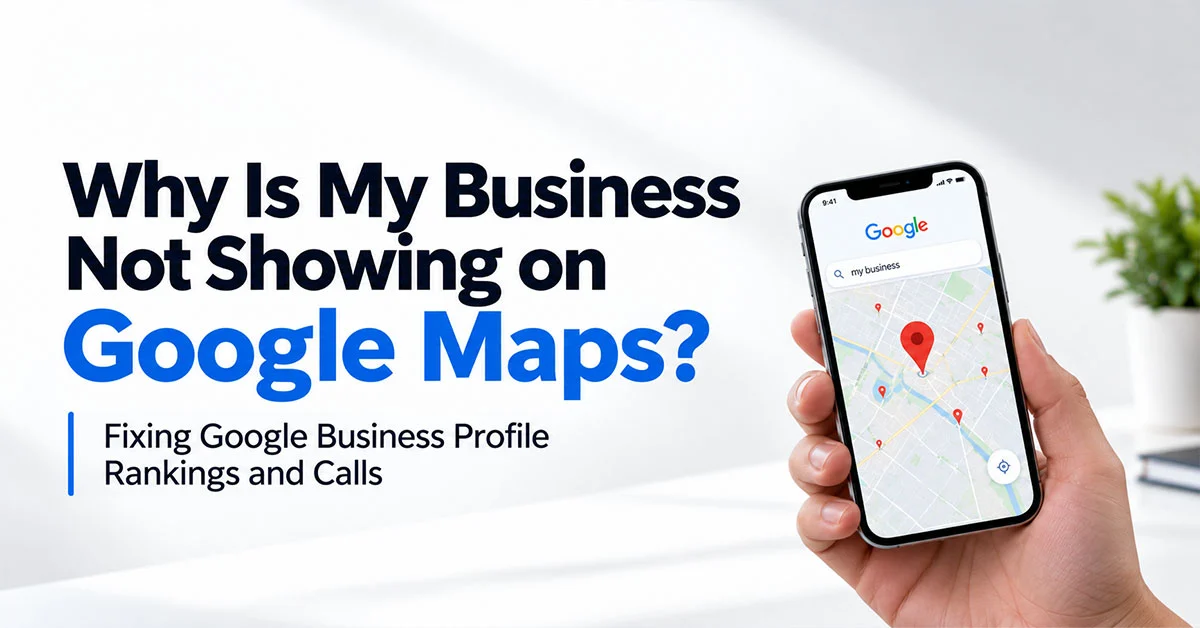
Business not showing on Google Maps once you’re a couple of kilometres from the office? That’s mostly proximity, and nobody can fix proximity. The good news is the bits you can change tend to matter more for calls anyway. Get the category right, keep reviews coming in, and point the profile at a page that’s actually about that location.
Most owners check their Maps ranking the same way. Sitting at their desk, phone in hand, searching “dentist near me”. There they are, top of the list. Lovely.
Then a patient mentions they couldn’t find the clinic from home, fifteen minutes away. The owner tries it from their car on the way back. Nothing. Gone. Panic sets in.
Here’s the thing. Google Maps isn’t one ranking. It’s thousands of tiny rankings, a different one for every spot someone searches from. So “we rank first” really means “we rank first from the chair I’m sitting in”. Useful to know, not much else.
Why Does My Business Only Show Up When I Search near My Office?
Simple, really. You’re standing right next to it. Google cares a lot about how close a business is to whoever’s searching, so from your own reception desk you’re basically unbeatable. Drive across town and suddenly there are twelve other dentists nearer to you than your own clinic is. Down the list you go.
Google’s own help page on local ranking boils it down to three things. How well you match the search, how far away you are, and how well known you are. That middle one you can’t touch, short of moving premises. So stop judging your profile from your own desk.
Use a ranking grid tool instead, or just ask a few friends across the city to search for you and send screenshots. You’ll quickly see where you’re strong and where you vanish. And if an agency promises to get you ranking first across an entire city like Mumbai or Bengaluru for “dentist near me”, be a bit sceptical. That’s not really how it works.
Which Google Business Profile Ranking Factors Can You Actually Change?
More than proximity suggests, honestly. Whitespark surveys local SEO experts every year, and its 2026 Local Search Ranking Factors report put primary category at the top for the Maps pack, just ahead of distance. Keywords in the business name, having an address in the city being searched, and being open at the time of the search rounded out the top five.
So of the big Google Business Profile ranking factors, a couple you control directly. Category is yours to pick. Opening hours are yours to keep accurate. Reviews are yours to earn.
Business name, though? Careful. Stuffing “Best Dental Clinic Andheri” into your name when your actual name is “Smile Studio” breaks Google’s rules, and competitors love reporting it. Use your real name. Win on the other stuff.
Now the Question is Which Primary Category Should I Choose?
The one that best matches what most of your customers search for, the most obvious one, if I may, and not the broadest one that sounds impressive. It’s the single biggest lever on the profile itself. A physio clinic set as “Medical clinic” competes with every GP in town. Set as “Physiotherapist”, it shows up for the searches that actually bring physio patients.
Google’s own guidelines say to use as few categories as possible to describe your core business, and to be specific. Secondary categories help, but the primary one does the heavy lifting.
Don’t guess, though. Look at the top three businesses ranking for your main search and check which primary category they’re using (free browser extensions show this). Then test. Change it, wait a few weeks, see what happens to calls and direction requests. If it gets worse, change it back.
For local clients, the GBP profile usually drives more calls than the website. Yet it is often set up once and never touched. In our experience the fastest gains come from fixing the primary category and the location page behind the profile, not from posting weekly updates. A typical case is a physiotherapy clinic listed under a broad medical category, linking to its homepage instead of a page about that specific clinic, and wondering why it never shows up for “physiotherapist near me”.
— Vishal Singh, Performance Marketing Specialist
Do I Need to Show an Address If I Serve Customers at Their Location?
No. If customers don’t come to you, Google actually wants you to hide your address and set a service area instead. Plumbers, cleaners, home tutors, pest control, that sort of business. Showing a home address you don’t serve customers from can get the profile suspended.
Google’s guidelines say a service area shouldn’t stretch beyond about two hours’ driving time from where you’re based. In practice, keep it tighter than that.
This is where people go wrong. They add twenty areas across the city hoping to rank in all of them. Sadly, that’s not how it plays out. Google still mostly cares where you’re physically based, so ticking every neighbourhood from Thane to Colaba doesn’t move much, and to anyone checking it looks a bit desperate. List the areas your team actually drives out to most weeks. That’s plenty.
Do Reviews and Google Posts Really Help Ranking?
Reviews, yes. Posts, a little, mostly for the people reading them rather than for ranking. A steady flow of recent reviews, replies from you, and customers naming the actual service they got all help. Google posts are fine to keep the profile looking alive, but they’re not where rankings come from.
Notice the word steady. Fifty reviews in one week after a WhatsApp blast, then nothing for six months, looks odd. Ask every happy customer, every week, in a way that’s easy for them. A QR code at reception. A link in the invoice message.
And if you can, nudge them towards mentioning what you did. “Got my root canal done here, painless” says far more to Google and to the next patient than “nice clinic”.
Why Did Calls Drop When My Ranking Didn’t Change?
Usually something on the profile changed, not the ranking. Wrong opening hours, a holiday you forgot to mark, a competitor suggesting edits to your listing, a phone number that changed, or more competitors showing up around you. The ranking screenshot can look fine while fewer people actually call.
Of all the Google Business Profile ranking factors, opening hours get forgotten most. Whitespark’s experts ranked being open at the time of search in the top five Maps factors. So if Google thinks you’re closed on Sunday mornings and you’re not, you’re invisible exactly when people are looking.
That’s why rankings aren’t the thing to watch. Calls, direction requests, website clicks and bookings are. Check them in your Business Profile insights every month. If they dip, check the profile itself before panicking about rankings.
How Should I Set up Multiple Locations?
One profile per real location, each linking to its own location page on your website, with the name, address and phone number matching everywhere. No profiles for places you don’t actually operate from, and no linking every branch to the homepage.
That last one’s really common. A chain of five clinics, all pointing at the same homepage. Google can’t tell which branch is which, and patients land on a generic page with no directions.
Build a proper page for each branch instead. Address, map, hours, doctors or staff at that branch, a few local reviews, parking info. It helps the profile rank and it helps the person who just tapped through.
This is bread-and-butter work for good search engine optimization services teams. If you’re comparing agencies for the best search engine optimization services, ask how they report local results. If it’s only ranking screenshots and not calls, keep asking.
Business Not Showing on Google Maps? Other Questions We Get Asked
Q1. Why is my business not showing on Google Maps at all?
Ans. First thing, is it verified? Second, has it been suspended without you noticing? (Check your email, Google does tell you, sort of.) Brand new profiles sometimes take a few weeks to settle in too, so a bit of patience helps.
Q2. Is there a way to pay Google for a higher Maps ranking?
Ans. Not for the normal results, no. Google’s quite firm on that. You can run local search ads that sit at the top marked as sponsored, but that’s advertising, a totally separate thing.
Q3. How long do Google Business Profile changes take to work?
Ans. Category and hours changes can show results within a few weeks. Reviews build up over months.
Written by Vishal Singh, Performance Marketing Specialist
I work with clinics, service businesses and multi-location brands on local SEO, and “we’ve disappeared from Google Maps” comes up on nearly every new account. It’s almost always the category, the hours or the page behind the profile.
If you’d like help getting your profile showing up for the people who actually call, take a look at our search engine optimization services.