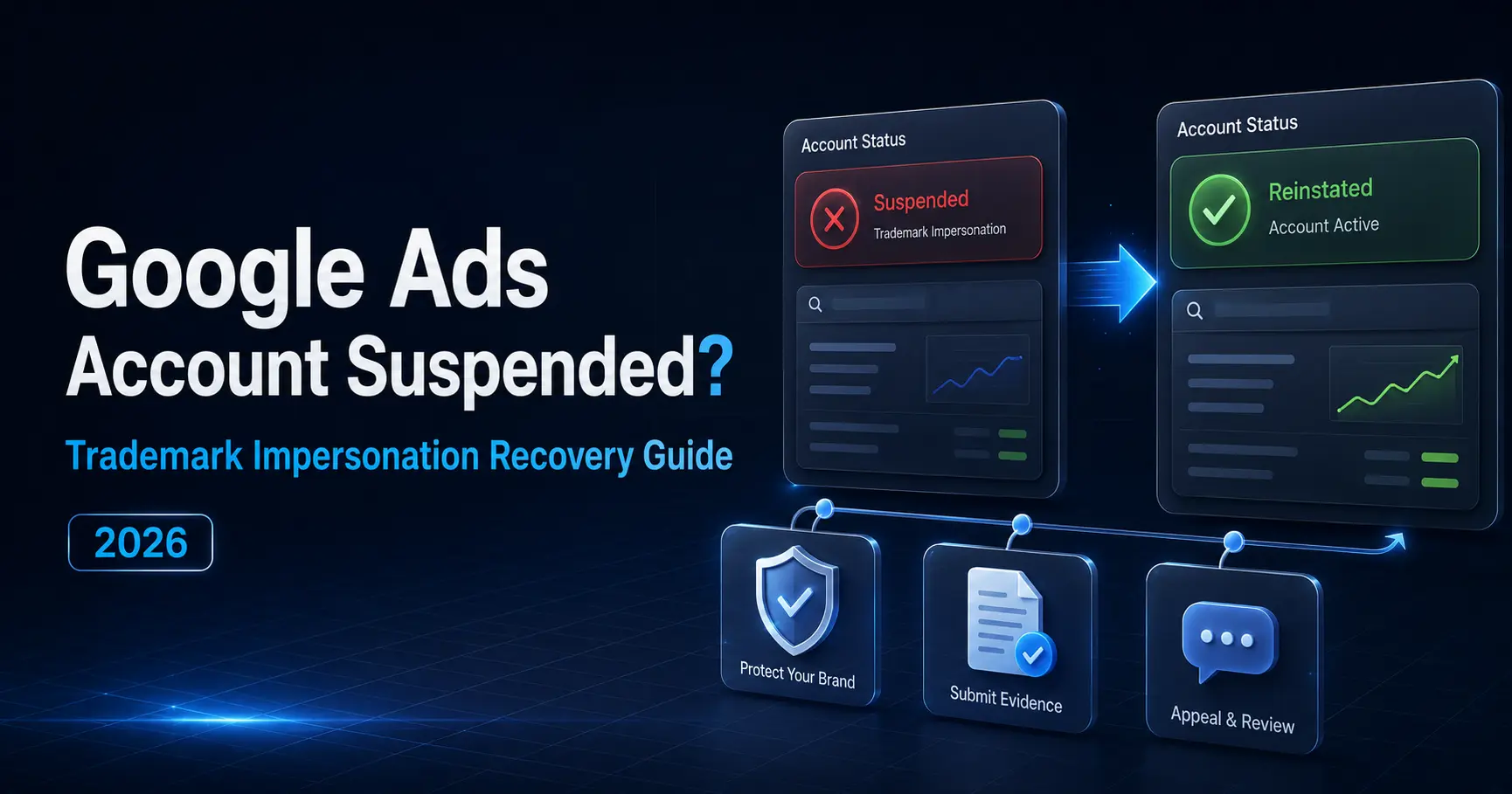
So your Google Ads account just got hit with a trademark impersonation suspension. Classic. Most people, in a panic, spend the first couple of weeks running around in circles appealing before they even know what went wrong, or, our personal favorite, opening a shiny new account like Google won’t notice. Here’s the actual order of things you need to do to get your account back, no shortcuts, no skipping steps.
That dreaded suspension email drops in your inbox and suddenly you feel like you have to do something- anything- right now. Appeal! Change the ad! Open a new account! Call Google! Basically, anything that feels like you’re not just sitting there watching your revenue evaporate. We get it. Every day offline feels like a little piece of your business is slipping away.
One pattern keeps showing up. Advertisers who rush into appeals without understanding the suspension almost always take longer to recover than those who spend the first day diagnosing the problem. In 2026, Google suspends over 30 million accounts annually, and that number is up 23% from the year before as AI detection systems have gotten sharper. The enforcement is not slowing down. But the recovery path is the same every time, and the only way to compress the timeline is to follow it in order, not to shortcut it.
This is the sequence. Four steps, non-negotiable, and the order matters more than the speed.
Is This a 7-Day Warning or a Full Suspension Because They Are Not the Same Situation
Before anything else gets touched, the first thing to read is what the notice actually says, because trademark suspension and trademark impersonation are handled differently and they start from different places.
A trademark policy warning gives you a 7-day window to fix the issue before the account goes fully offline. If you are inside that window, you have time to do this properly. Most advertisers either do not notice the warning email or panic and do the wrong things inside those 7 days. The window is real, and it is workable if used correctly.
Circumventing Systems, which is what Google triggers if it believes you are deliberately trying to evade enforcement rather than genuinely violating a trademark policy, carries no warning. That one suspends immediately, and appeals are significantly harder. Knowing which notice you received is not a minor detail. It is the thing that determines what the first 24 hours should look like.
Why Opening a New Account Right Now Would Make This Permanently Worse
Almost every suspended advertiser asks the same question first, which is “Should I just open a new account?”
Google tracks device identifiers, IP addresses, payment methods, browser fingerprints, and billing profiles across accounts. If a new account gets linked to a suspended one through any of these signals, the new account triggers a Circumventing Systems flag immediately, and that one comes with a permanent ban that is almost impossible to appeal out of. You would trade a recoverable trademark suspension for an unrecoverable ban on every account tied to the same business.
The instinct to start fresh makes complete sense when an account goes dark. The execution of that instinct, in this specific situation, turns a fixable problem into a permanent one. The original account is the only path forward.
What to Actually Do Before Submitting Anything to Google
Before touching anything inside the account, the first step is to read the suspension notice carefully and identify the exact violation code.
The violation code tells you whether this is a trademark complaint filed by a brand owner, a policy flag from Google’s automated system, or a misrepresentation trigger that has been categorised under trademark policy. Each one has a different fix and a different appeal pathway. Going straight to the appeal form without knowing which one you are dealing with is how advertisers end up submitting the wrong documentation and burning one of their limited appeal attempts on a response that does not address the actual flag.
Start by pulling the notice, noting the exact policy category, and checking it against Google’s latest policy documentation. Everything else depends on getting that diagnosis right. You can’t fix the right problem until you know which problem Google has actually flagged. Once that’s clear, the appeal becomes much easier to get right.
What Fixing Everything Actually Means and Why Partial Fixes Do Not Work
Step two is fixing the account completely before the appeal goes anywhere near Google’s review system.
For trademark impersonation, this means removing trademarked terms from ad copy, display URLs, and any dynamic keyword insertion fields. It means checking the landing page for any brand names, logos, or implied affiliations that the account does not have authorisation to use. It means making sure the business name in the Google Ads account, the domain registration, and the about page on the website are all consistent and clearly identify who is actually advertising.
If you are an authorised reseller of the brand whose trademark was flagged, that authorisation needs to be in writing from the brand owner before the appeal is submitted. Google does not adjudicate trademark disputes. It enforces complaints that trademark owners file, so if the complaint is valid, the only path through it is documentation of authorisation or complete removal of the trademarked material. There really isn’t a shortcut here.
“The longest recovery we managed took 47 days, not because Google was slow, but because the client kept submitting appeals before fully fixing the landing page. Every incomplete appeal resets the review clock and signals to Google’s system that you’re not taking compliance seriously. Fix everything first. Appeal once. That’s the only sequence that works.”
— Vishal Singh, Performance Marketing Specialist
What a Proper Google Ads Suspension Appeal Fix 2026 Looks Like vs What Most People Send
Step three is the appeal, and this is where the 73% versus 30% split happens.
A documented appeal names the exact violation, describes every specific change made, attaches screenshots of the before and after state of the ad copy and landing page, references the exact Google policy section being addressed, and confirms that everything is live and fixed before the appeal is submitted. First-time appeals with this level of documentation succeed roughly 73% of the time. Generic appeals, the ones that say the account has been reviewed and is now compliant, succeed less than 30% of the time regardless of whether the fixes were real.
The other thing that matters here is that Google limits how many times you can appeal a suspension. Every failed appeal makes the next attempt harder, and it is entirely possible to exhaust your appeal attempts before getting the sequence right. This is not a situation where multiple attempts are a strategy. One documented appeal, properly prepared, is the only approach worth taking.
The appeal isn’t there to convince Google you’ve fixed the problem. It’s there to show exactly how you fixed it. Choose a vague one if you have appeals to spare, and in 2026, with Google’s tightened enforcement, you really do not.
What the 30 Days After Reinstatement Actually Have to Look Like
Step four is the one people skip because getting the account back feels like the finish line. It is not.
A reinstated account sits in a higher-risk profile for at least 30 days after reinstatement. Any aggressive scaling, broad match expansion, or rapid budget increases in that window can retrigger automated review on an account that is already flagged in the system. We have seen accounts get suspended again within two weeks of reinstatement because the first thing the advertiser did was push the budget back up to where it was before.
Think of the first month as a probation period for the account where you only go for exact and phrase match only, conservative targeting, and nothing that looks like the behaviour pattern that got the account flagged in the first place. It is not a permanent restriction. It is a window to rebuild a clean compliance record before the account gets treated as a normal account again by Google’s systems.
What People Ask Us Every Time a Google Ads Account Gets Suspended for Trademark Issues
Q1. What is the first thing to do when the suspension notice arrives?
Ans. Start with the notice. It tells you exactly which policy Google believes you’ve violated, and that determines everything that comes next. The violation category determines the fix, the documentation required, and the appeal pathway. Acting before you know which one you are dealing with wastes time and can use up appeal attempts on the wrong response.
Q2. How long does the Google Ads suspension appeal fix 2026 process actually take?
Ans. A properly documented first appeal typically gets reviewed in 5 to 14 business days. Incomplete appeals take longer because they go back into the queue after rejection. Getting it right the first time compresses the timeline more than submitting quickly does.
Q3. Can a trademark suspension become a permanent ban?
Ans. Yes, if a new account is created after suspension, or if repeated vague appeals exhaust the available attempts and the account gets flagged for Circumventing Systems on top of the original violation. Both situations are avoidable if the sequence is followed correctly from the start.
Q4. What if the trademark complaint was filed by a competitor unfairly?
Ans. Google does not adjudicate the legitimacy of trademark complaints. It enforces them. If you believe the complaint is invalid, the path is a legal trademark dispute with the brand owner directly, not an appeal to Google. While that process runs, the ads stay offline unless you can get written authorization from the brand owner or remove the trademarked material entirely.
Q5. Is a Google Ads suspension appeal fix 2026 different from how it worked before?
Ans. Meaningfully yes. Google’s enforcement AI has become significantly more sophisticated, appeal quotas are tighter, and identity verification attempts are now capped at three. The window for trial-and-error appeals is narrower than it was two years ago, which is exactly why the fix-everything-first, appeal-once approach matters more now than it ever did.
Written by Vishal Singh, Performance Marketing Specialist
I have managed Google Ads account suspensions across agencies and direct clients in finance, lead generation, and e-commerce. The recovery sequence in this article comes from accounts we have actually worked through, including those that took longer than they should have because the sequence was skipped.
For more on how we manage paid search strategy and account compliance, visit our search engine marketing services.