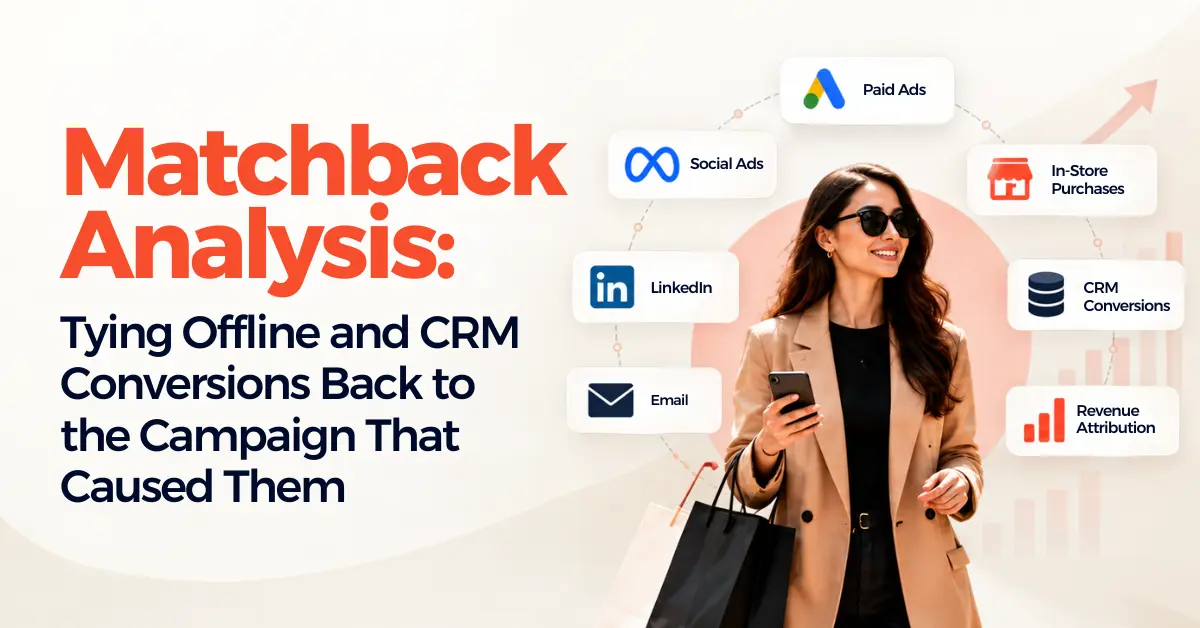
Matchback analysis connects offline sales and CRM conversions to the ad campaigns that started them, by matching customer details like email, phone or click IDs across systems. Done properly, it shows which campaigns produce revenue rather than form fills, and gives ad platforms better signals to optimise on.
Every sales team has a favourite complaint about marketing leads. The most popular one goes something like “the Facebook ones are all junk.”
We heard exactly that from a client’s sales director a while back. Very confident about it, too. So we pulled six months of closed deals from their CRM, matched them against ad click data, and went through them one by one.
Four of their ten biggest deals that half-year had started with a Meta ad.
Nobody was lying. The deals just took nine weeks to close, went through two phone calls and a showroom visit, and by the time the contract was signed, nobody remembered how the customer had found them. The ad platform certainly didn’t know. It had counted a form fill and moved on.
That gap is what matchback analysis closes. It’s unglamorous, a bit fiddly, and one of the most useful things web data & analytics services can set up for any business where the sale happens somewhere other than a checkout page.
What is Matchback Analysis, and Why Does It Matter Now?
The idea is older than digital marketing. Catalogue companies used to match order records against mailing lists to see which mailers actually produced sales. Same principle today, different data.
You take conversions that happen offline or inside your CRM, like a signed contract, an in-store purchase or a booked appointment, and match them back to the ad interactions that came first. The result shows which campaigns produce revenue, not just leads.
It matters more now because platform reporting stops at the form. Google and Meta see a click and a lead. What happens over the next three months is invisible to them unless you tell them. And if you don’t, their bidding keeps chasing whatever looks like a conversion, which for a lot of high-ticket businesses means cheap leads that never buy.
How Does a Matchback Actually Work?
You need something that links the ad interaction and the sale to the same person.
Usually that’s one of two things. A click ID, like Google’s GCLID or Meta’s fbclid, captured when the lead lands and stored in the CRM with the contact. Or customer details like email and phone number, hashed and matched against what the ad platform already knows. Most solid setups use both, and Google’s own guidance is to include click IDs in uploads whenever you have them.
Then you set a window. How far back can a sale be credited to an ad? Thirty days works for some businesses. A furniture retailer or a B2B software company might need ninety or more. Match your real sales cycle, not the platform default.
Finally, decide the rules. If someone clicked a Google ad, then a Meta ad, then walked into the store, who gets credit? There’s no perfect answer. There’s just a consistent one, written down and agreed before the numbers come in.
Why Do So Many Matchbacks Produce Messy Numbers?
Because the data going in is messy, and matchback is brutally honest about that.
The biggest culprit is missing click IDs. The form captures them, but the CRM field was never mapped, or a sales rep adds contacts by hand and skips it, or a redirect strips the parameters off the URL. We’ve seen setups where fewer than half of leads reached the CRM with an ID attached. (Nobody knew until someone went looking.
Duplicates cause trouble too. The same person enquires twice with different emails, or a couple buys under one name after enquiring under the other.
And timing is the part of matchback analysis marketing teams tend to underestimate. Meta allows a 90-day window for sending offline events, and timestamps affect how its algorithm learns. Upload a batch of deals four months late and they won’t count for much.
None of this is a reason to skip it. It’s a reason to fix the plumbing first.
The ad platforms are only as smart as what you tell them. If all they ever hear about is form fills, they’ll get very good at finding people who like filling in forms.
— Vishal Singh, Performance Marketing Specialist
What are the Best Tools For Matchback Analysis in Digital Marketing?
There isn’t one tool. It’s a small stack, and you probably own most of it already.
Your CRM does the heavy lifting. HubSpot and Salesforce can both store click IDs and campaign data against each contact, as long as someone sets the fields up properly. Without that, nothing else works.
Google Ads enhanced conversions for leads is Google’s upgraded version of offline conversion import, using hashed customer data such as email addresses to tie imported conversions back to campaigns. Worth knowing, since June 15, 2026 these uploads go through Google’s Data Manager API and are blocked in the older Google Ads API, so older custom integrations may need attention.
Meta’s Conversions API handles offline events for Facebook and Instagram. The standalone Offline Conversions API was shut down on May 14, 2025, so if an old setup still points there, it’s been quietly failing.
Call tracking tools like CallRail matter if phone calls are a big part of how you sell. A surprising number of “offline” conversions start as calls.
For bigger businesses, a data warehouse plus a reverse ETL tool can match CRM data and push conversions to every ad platform at once. More setup, far less manual uploading.
How Do You Turn The Results into Better Campaigns?
Two ways, and you want both.
The first is reporting. Once deals are matched back, you can put revenue by campaign in front of leadership instead of cost per lead. That changes budget conversations fast. The campaign with the scary cost per lead sometimes turns out to be bringing in the biggest contracts.
The second is feeding the platforms. Send qualified leads and closed deals back to Google and Meta as conversions, with values attached, and let bidding optimise toward them. The algorithms take a few weeks to adjust, so resist the urge to change everything at once.
Keeping this loop clean is where a lot of the value in web analytics services sits. The matching is logic. Keeping it accurate month after month is discipline.
Is Matchback Analysis Worth the Effort?
If your sales happen offline, on the phone or weeks after the first click, yes. Probably more than any other measurement project you could take on this year.
It keeps getting pushed to next quarter because it’s tedious rather than hard. Which is a shame, because the payoff is real. Better budget decisions, smarter bidding, and far fewer arguments with sales about whose leads were junk.
If you’d like help setting it up, our web data & analytics services team builds matchback into measurement for businesses with long or offline sales cycles.
Frequently Asked Questions
Q1. What is matchback analysis in marketing?
Ans. It’s matching offline sales and CRM conversions back to the ad campaigns that led to them, usually by linking click IDs or hashed customer details like email and phone number.
Q2. What are the best tools for matchback analysis in digital marketing?
Ans. Most businesses use their CRM, like HubSpot or Salesforce, alongside Google Ads enhanced conversions for leads and Meta’s Conversions API. Call tracking and a data warehouse help once things get more complex.
Q3. How far back should a matchback look?
Ans. Go with your real sales cycle. Thirty days suits quick purchases, but high-ticket or B2B sales often need ninety days or more.
Q4. Why don't my offline conversions match what the ad platforms report?
Ans. Usually missing click IDs, duplicate contacts or late uploads. Platforms also apply their own attribution rules, so some difference is normal. A big gap usually means a tracking problem.
About the Author
Vishal Singh, Performance Marketing Specialist, has spent more hours than is healthy reconciling CRM exports with ad platform reports, and still thinks it’s worth it. See how the team approaches web data and analytics.