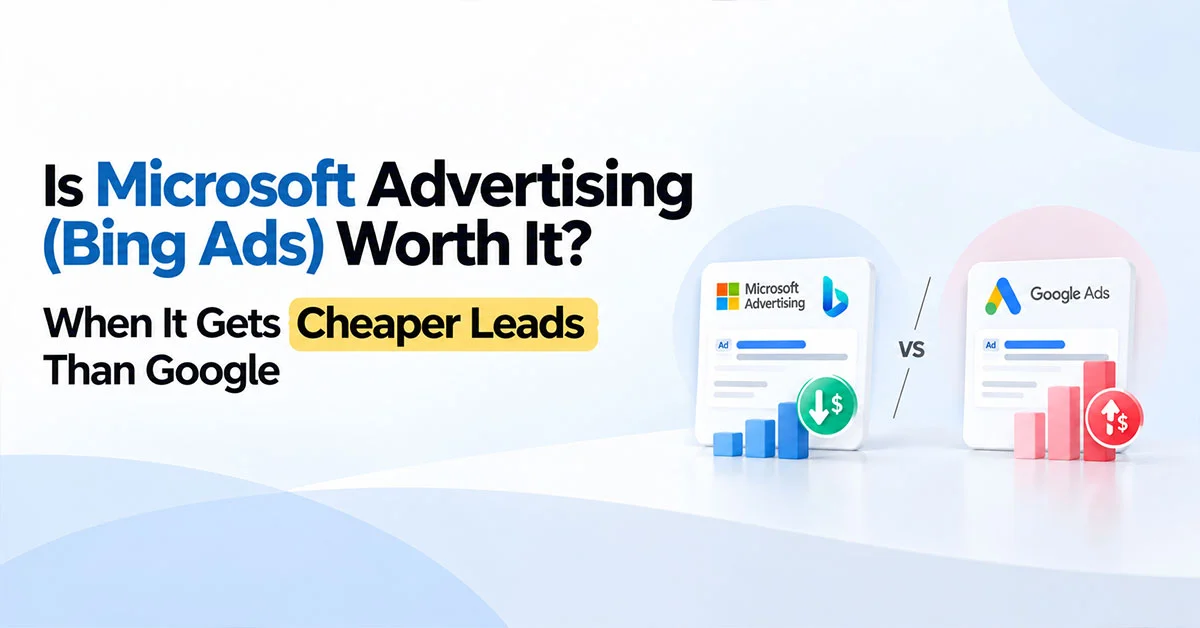
Is Bing Ads worth it? For a lot of B2B and professional services brands, honestly yes. Clicks tend to cost less, the people searching are often at work on a desktop, and you can bid harder on someone because of their LinkedIn job title. For mobile-first consumer brands, though, it’s usually a sideshow. Depends who’s buying.
“Does anyone even use Bing?” It gets asked with a little smirk, usually in the same meeting where someone complains Google CPCs doubled.
Fair question. Wrong one, though.
What you actually want to know is whether your buyers are sitting at a work laptop, searching on whatever browser IT installed, while they’re trying to solve a work problem. Because if they are, there’s a decent chance a chunk of them are on Bing without ever having chosen it. And hardly anyone’s bidding against you there.
Does Anyone Actually Use Bing?
More people than the jokes suggest, and they skew a particular way. Bing is the default in Microsoft Edge and Windows search, which is exactly what a lot of office laptops run. So the audience leans desktop, work hours and older, often with bigger budgets to spend. That’s a very handy crowd if you sell to businesses.
Think of the procurement manager in Gurugram, or the finance head in Dubai, searching “payroll software for 200 employees” at 11am on a company-issued Dell. Did they pick Bing? No. It was just there.
That’s the whole appeal. You’re not reaching everyone. You’re reaching a specific slice of people at their desks, and fewer advertisers are fighting over them.
Why Are CPCs Lower on Microsoft Ads?
Fewer advertisers in each auction, mostly. Lots of businesses run Google and never get round to Microsoft, so the same keyword often has less competition and a lower price. The trade-off is volume. You’ll usually get noticeably fewer clicks, so it’s an add-on to Google, not a replacement.
The numbers back it up, roughly. A BrightBid B2B comparison quoted in Whatagraph’s 2026 PPC benchmarks put average CPC at $1.45 on Microsoft against $2.85 on Google, and average CPA at $38.50 versus $48. Google converted a bit better per click. Microsoft still came out cheaper per lead because the click itself cost so much less. That’s the Microsoft Ads vs Google Ads trade in one line.
Benchmarks are averages, obviously. Your category could look completely different. But that pattern, cheaper clicks and slightly lower conversion rate, shows up a lot.
Microsoft Ads vs Google Ads, Which One Wins for B2B Leads?
Neither wins on everything. The Microsoft Ads vs Google Ads question really comes down to volume against efficiency. Google brings the scale. Microsoft often brings cheaper leads in smaller numbers, plus a targeting trick Google simply doesn’t have.
For most B2B accounts we’d start with Google, get it profitable, then add Microsoft with maybe 10 to 20 percent of the search budget and see what it does. If the cost per lead holds up, shift a bit more. If it doesn’t, you’ve lost very little finding out.
Running both isn’t double the work either, if you set it up sensibly. Which brings us to importing.
As a Microsoft Advertising Partner, the question we get most is ‘is Bing worth it?’. The honest answer: for B2B and professional services it is often the most efficient search budget in the account. For mobile-first consumer brands it is usually a distraction. The mistake is importing a Google campaign and never touching it again. A pattern we see a lot in B2B accounts is Microsoft bringing in a fraction of Google’s lead volume at a noticeably lower cost per lead, right up until someone forgets to check the imported settings.
— Vishal Singh, Performance Marketing Specialist
Can I Just Import My Google Ads Campaigns?
You can, and it’s the fastest way to start. Microsoft has a built-in Google import, and you can even schedule it to run regularly. Just don’t treat it as finished. Some settings don’t carry over cleanly, and a few defaults are worth changing before you spend anything.
Microsoft’s own import documentation says plainly that not all information gets imported and you should review campaigns afterwards. Fair enough. The bits we’d check every time are location settings (whether you’re targeting people in a place or people merely interested in it), where your ads can show beyond Bing itself, and which automatic recommendations Microsoft is allowed to apply on its own.
One more gotcha. If you schedule recurring imports, changes you make inside Microsoft can get overwritten by the next import from Google. So either keep editing in Google and let it sync, or switch scheduled imports off once you start tweaking Microsoft separately. Mixing both is how bids mysteriously reset every Monday.
What is Linkedin Profile Targeting in Microsoft Ads?
It lets you raise bids on searchers based on their LinkedIn details, specifically their company, industry and job function. Google can’t do this. So if a CFO searches “accounts payable automation”, you can bid more for that click than for a student searching the same thing for an assignment.
Worth knowing how it actually works. According to Microsoft’s LinkedIn targeting help page it’s “bid only”, meaning it adjusts your bids rather than narrowing who sees the ad. You can target up to 1,000 companies in a campaign or ad group, which is handy if you’ve got a target account list.
Practically, that means you can tell Microsoft “this person works in finance at a company over 500 employees, bid 40 percent more”, while still showing ads to everyone else at the normal price. For account-based B2B, that’s genuinely useful.
Do Microsoft Ads Show Inside Copilot?
Yes, Microsoft ads can appear inside Copilot’s answers, built from the ads and assets you already run. There isn’t a separate Copilot campaign to set up. Strong responsive search ads, Performance Max assets and decent images give you the best shot at showing up there.
Microsoft has been pushing this hard, including announcing new ad formats for Copilot back in March 2025. The practical upshot is that your Copilot presence depends on your existing assets being good. Lazy headlines and missing images won’t magically look better inside a chatbot.
When is Microsoft Ads a Waste of Money?
When your buyers are mostly on mobile, when you’re a small local business with very low search volume, or when your Google account isn’t profitable yet. In those cases Microsoft adds admin and spreads a thin budget thinner. Fix Google first, then come back.
A takeaway joint in Lucknow doesn’t need Bing. A fashion brand selling mostly through Instagram on phones probably doesn’t either. A B2B software company selling to finance teams? Very different story.
Plenty of good search engine marketing services providers will test Microsoft for you with a small budget before committing. And if you’re comparing agencies offering the best search engine marketing services, ask whether they’ve actually run Microsoft for clients in your industry. “We just import from Google” doesn’t count.
Is Bing Ads Worth It? Other Questions We Get Asked
Q1. Is Bing Ads worth it for a small business?
Ans. Sometimes. If you’re B2B or your customers search from work, a small test makes sense. If you’re local and mobile-first, probably not.
Q2. How much budget should I put into Microsoft Ads?
Ans. Start with around 10 to 20 percent of your search budget, run it for a month or two, and compare cost per lead with Google before deciding.
Q3. Do I need separate ad copy for Microsoft?
Ans. Not at first. Imported ads work fine to start. Once you see what converts there, it’s worth tailoring.
Written by Vishal Singh, Performance Marketing Specialist
I manage search campaigns across Google and Microsoft for B2B and professional services brands, and “is Bing worth it?” is one of the first questions on most new accounts. The answer almost always depends on who’s buying and where they’re sitting when they search.
If you’d like help testing Microsoft Ads alongside Google, take a look at our search engine marketing services.